FOR PRIMAVERA P6 PLANNERS & PROJECT CONTROLS TEAMS
Know what changed in your P6 schedule—and what needs attention.
Compare XER updates, find schedule-quality issues, and turn activity-level findings into Excel reports for your next project review.
No credit card required · Temporary server analysis · XER files are not saved
Already have access? Open workspace
Answer the questions behind every update.
XER360 IN ACTION
A closer look at your schedule.
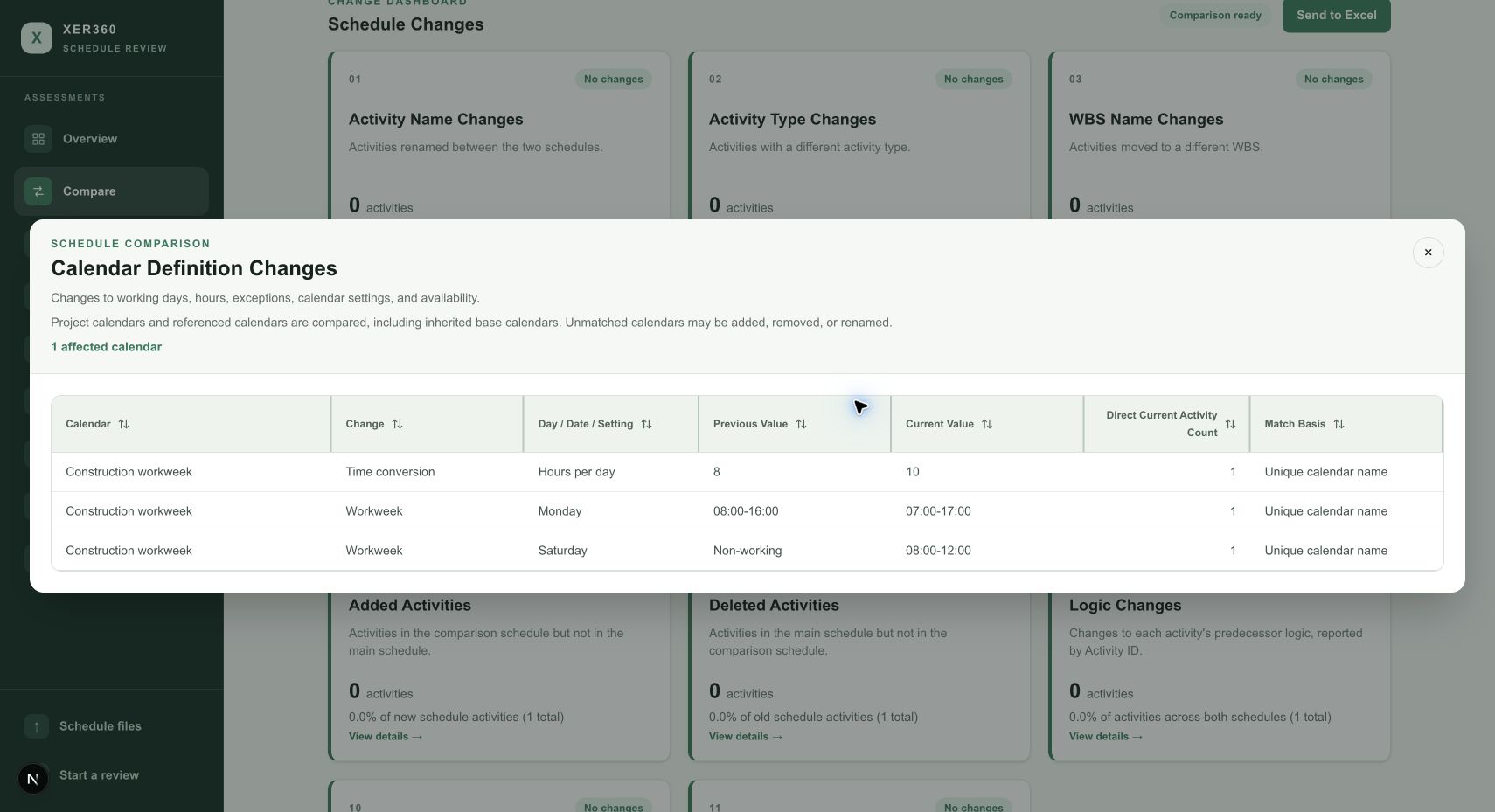
Every update. Every meaningful change.
Compare activities, durations, relationships, and calendar definitions. Trace each difference from Main (Old Value) to Comparison (New Value).
Review your own schedule — start free trial01 / 05
From XER file to a focused review.
1. Start your free trial
Create your account and confirm your email. No payment details needed.
2. Choose your schedule
Open an XER file in your browser. Add a previous update or baseline for comparisons.
3. Review and share findings
Inspect the activities behind each finding and export reports for your review.